微博秒拍视频图片下载
微博、秒拍、绿洲、小咖秀、晃咖视频图片在线解析下载工具支持解析微博和秒拍里的视频真实地址,解析出来的绿洲和小咖秀视频没有水印,并支持下载视频和视频封面到本地,手机和电脑上都适用,轻轻松松保存微博图片和视频到手机相册.
微博、秒拍、绿洲、小咖秀、晃咖视频图片在线解析下载工具支持解析微博和秒拍里的视频真实地址,解析出来的绿洲和小咖秀视频没有水印,并支持下载视频和视频封面到本地,手机和电脑上都适用,轻轻松松保存微博图片和视频到手机相册.
打开虚拟信用卡生成网站和验证网站。将Bin码和日期填入进行生成,然后验证账户是否正常。
验证:https://mrchecker.net/card/ccn2/
About v2.0.0
NamsoGen is a multi-purpose random data generator for prototyping / testing in the field of programming and development.
As of now, NamsoGen offers lorem ipsum generator, random user data generator and random test credit card numbers generator.
The lorem ipsum generator is just a dummy text placeholder that you can use for your design mockups, graphics and prototyping.
The random user data generator uses the randomuser.me's API. These user's data are just fictional / randomly created by randomuser.me's algorithm and doesn't belong to a real user/person. You can use this to dump dummy users for testing your application or design mockups.
The random test credit card numbers generator uses the Luhn algorithm. These credit card numbers are not actual issued credit cards and has no value in real life. This service does not generate credit card numbers that has real money and doesn't belong to any card holder.
You can generate bulk credit card numbers in different format that you require. Test them on your ecommerce store or whatever payment gateway that you're using for testing and validating credit card numbers.
All of the services that Namsogen offers are intended for development, programming and educational purposes only. NamsoGen do not support, promote or encourage illegal/fraud activities of any kind. Check the privacy policy for more information.
Updates coming soon
Generate cutomizable random dummy data of placeholder texts, user details, blog posts and more.
Generate random images for protoyping design and development projects.
Generate disposable email address.
Implement offline support.
If you have any suggestions, questions or any request please send it to [email protected] or just go to the contact page and use the contact form.

从英文翻译而来-JSFiddle是一个在线IDE服务和在线社区,用于测试和展示用户创建的协作HTML,CSS和JavaScript代码段,称为“小提琴”。它允许模拟AJAX调用。在2019年,根据在世界范围内和美国紧随Cloud9 IDE的搜索次数,JSFiddle在受欢迎的在线IDE中排名第二。 维基百科(英文)

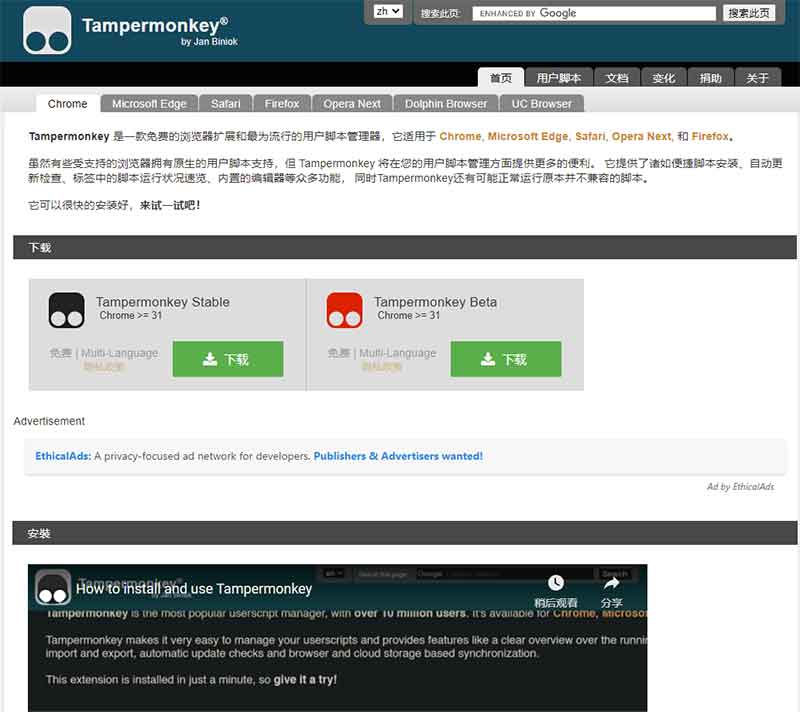
Tampermonkey中文名俗称油猴,是一款浏览器上的扩展,用户可以通过Tampermonkey添加和使用脚本,而脚本是一种可以修改网页JavaScript的程序。
Tampermonkey最早由扬·比诺克(Jan Biniok)于2010年5月创建。它最初只是Greasemonkey的一个脚本,之后作为一款独立的扩展在Google Chrome浏览器上推出。
2019年,Tampermonkey的用户已经超过1000万。Tampermonkey是Chrome网上应用店上用户数量超过1000万的13个扩展之一。
原作者 Jan Biniok
开发者 Jan Biniok
初始版本 2010年5月
许可协议 专有软件 (捐赠软件)
网站 https://www.tampermonkey.net
官方介绍
Tampermonkey 是一款免费的浏览器扩展和最为流行的用户脚本管理器,它适用于 Chrome, Microsoft Edge,
Safari, Opera Next, 和 Firefox。虽然有些受支持的浏览器拥有原生的用户脚本支持,但 Tampermonkey 将在您的用户脚本管理方面提供更多的便利。
它提供了诸如便捷脚本安装、自动更新检查、标签中的脚本运行状况速览、内置的编辑器等众多功能,同时Tampermonkey还有可能正常运行原本并不兼容的脚本。
史上最全''油猴''使用说明
https://zhuanlan.zhihu.com/p/358136934

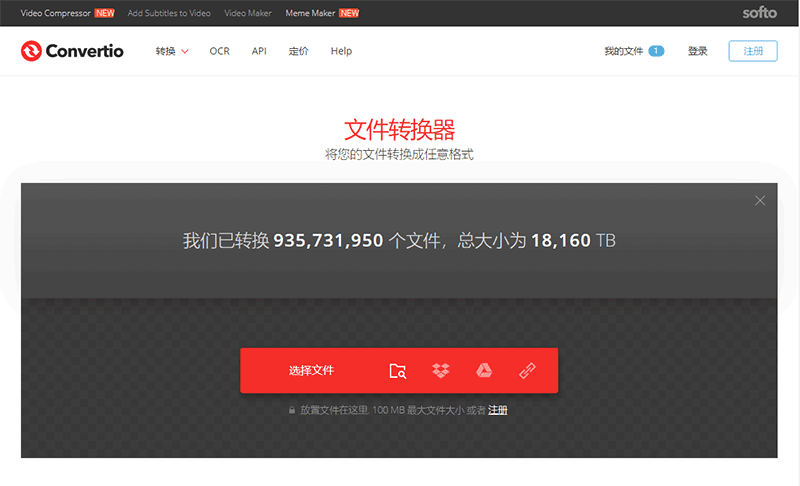
在线转换文件的简单工具。支持超过309种不同的文档、图像、电子表格、电子书、文档、演示文稿、音频和视频格式。
在线音频转换器
https://convertio.co/zh/audio-converter/
在线视频转换器
https://convertio.co/zh/video-converter/
在线图像转换器
https://convertio.co/zh/image-converter/
在线文档转换器
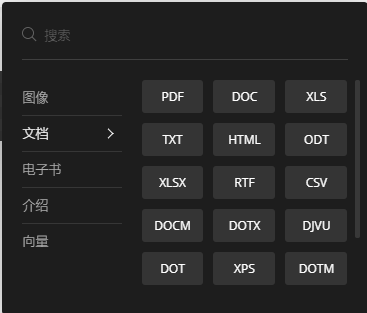
https://convertio.co/zh/document-converter/
在线压缩包(文件)转换器
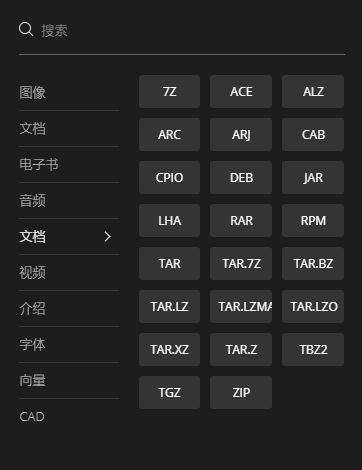
https://convertio.co/zh/archive-converter/
在线演示器转换器
https://convertio.co/zh/presentation-converter/
在线字体转换器
https://convertio.co/zh/font-converter/
在线电子书转换器
https://convertio.co/zh/ebook-converter/